Karaoke recording library
The songs you sing, lined up like records on a shelf.
An app that keeps your karaoke recordings in a sleeve for each song. Compare takes of the same song and pin the one you liked best.

You recorded it. You never listened back.
If you keep your karaoke in Voice Memos, this may sound familiar.
- Recordings just pile up by date, and you can't tell which song is which
- You can't compare a song with the last time you sang it
- You can't find which take was the good one anymore
- It's hard to loop just the chorus or skip back a little
01
Keep every song in its sleeve.
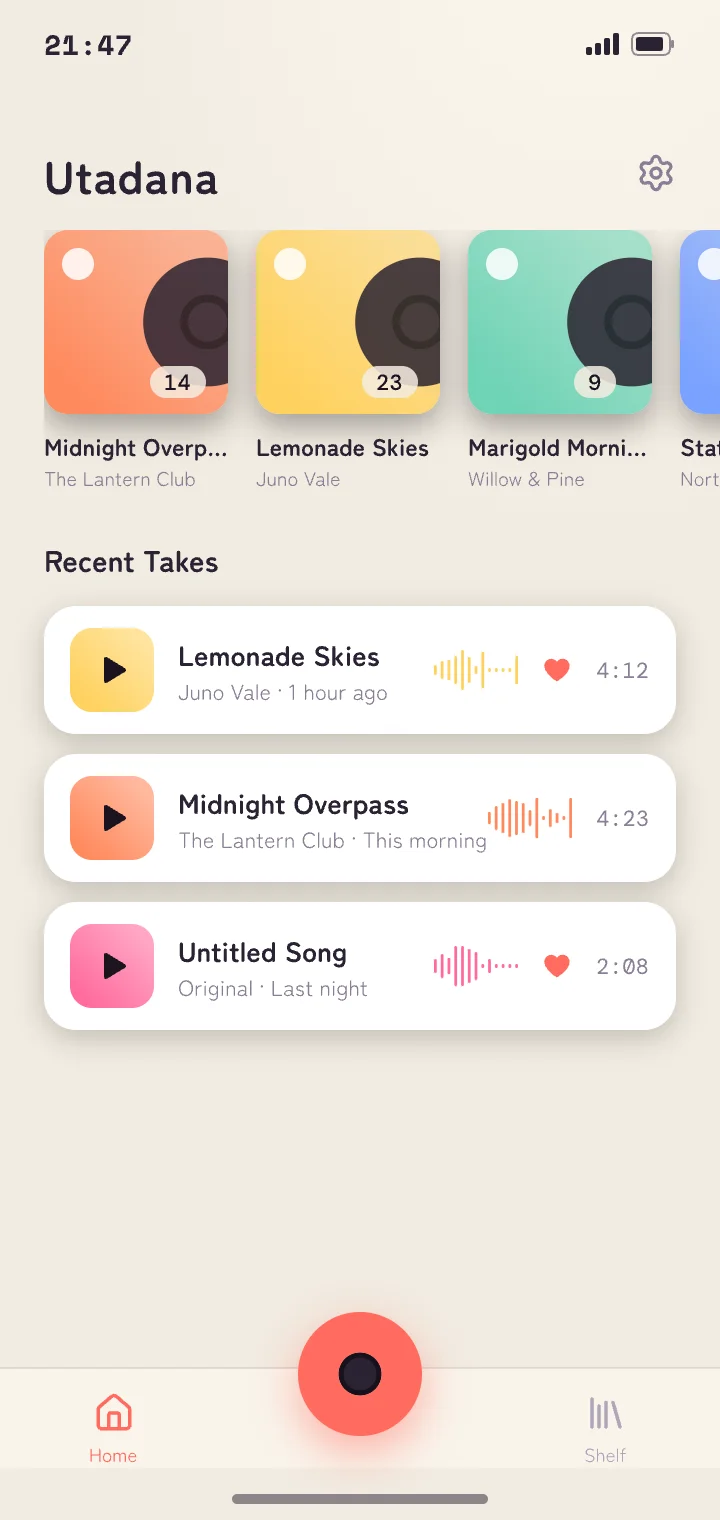
Open the app at karaoke and tap the red button. Each take goes into that song's sleeve. On Home, you can look back day by day.
02
How many takes of that song?
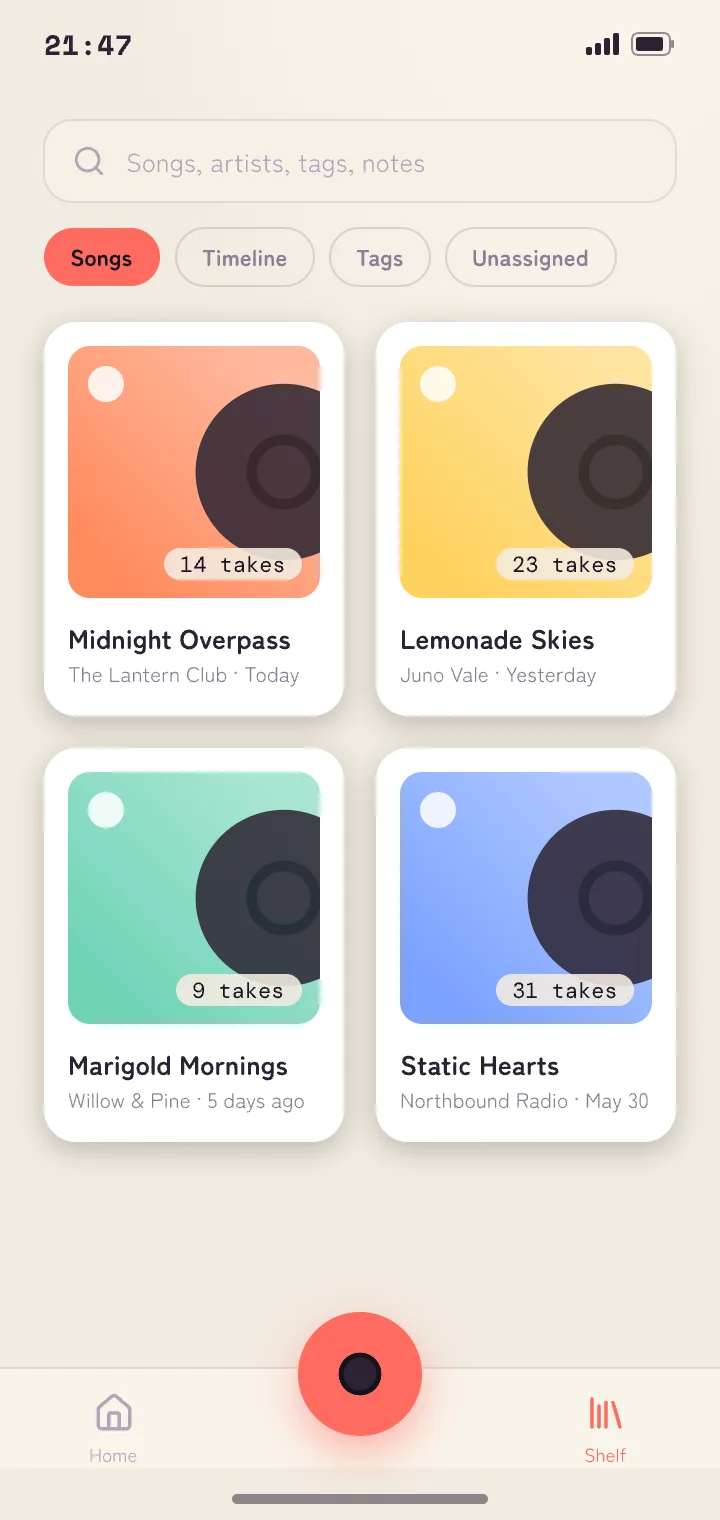
The songs you've sung line up on the shelf as sleeves. The take count in the corner shows which songs you've sung, and how often, at a glance.
03
Better than last week?
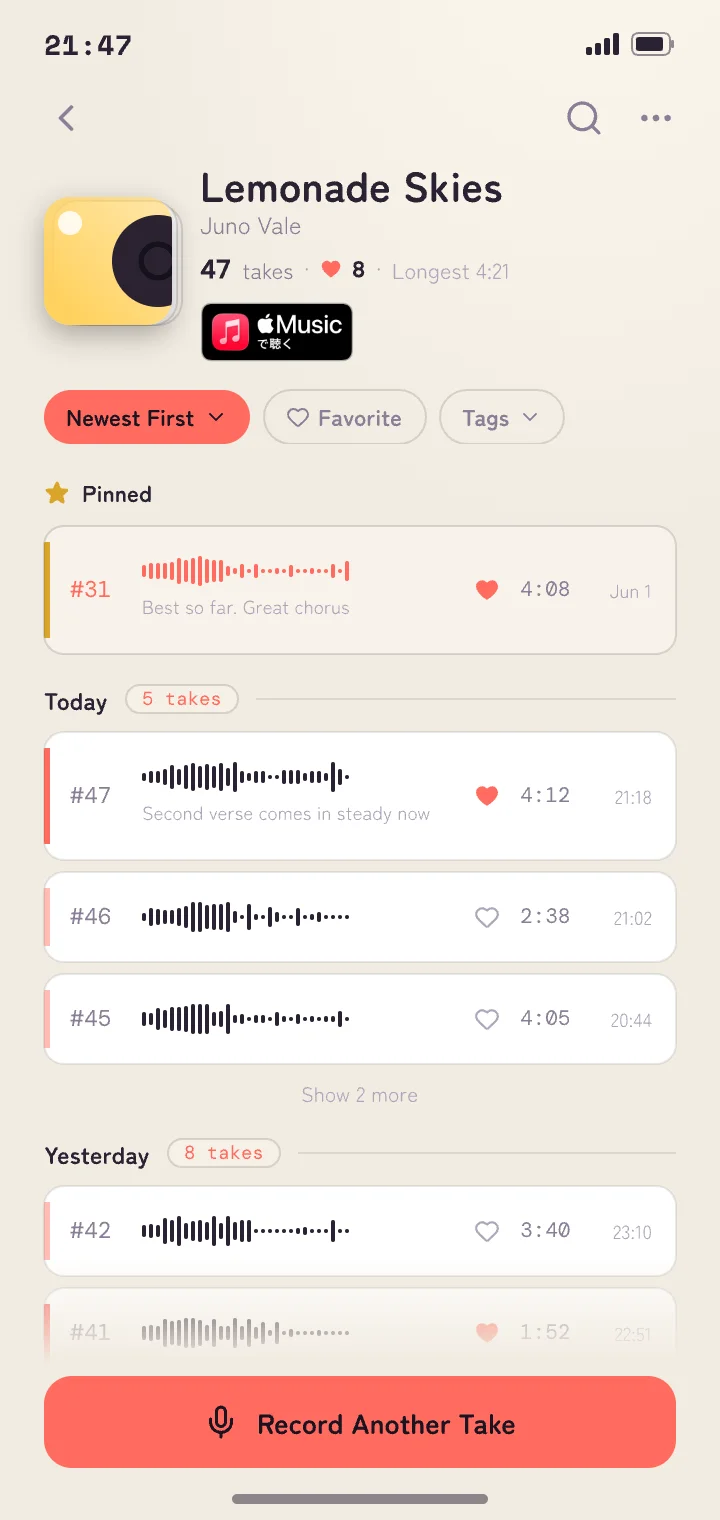
Takes of the same song line up in the order you recorded them. Compare them and pin your best one — it stays at the top next time you open the song.
04
Just the chorus, again and again.
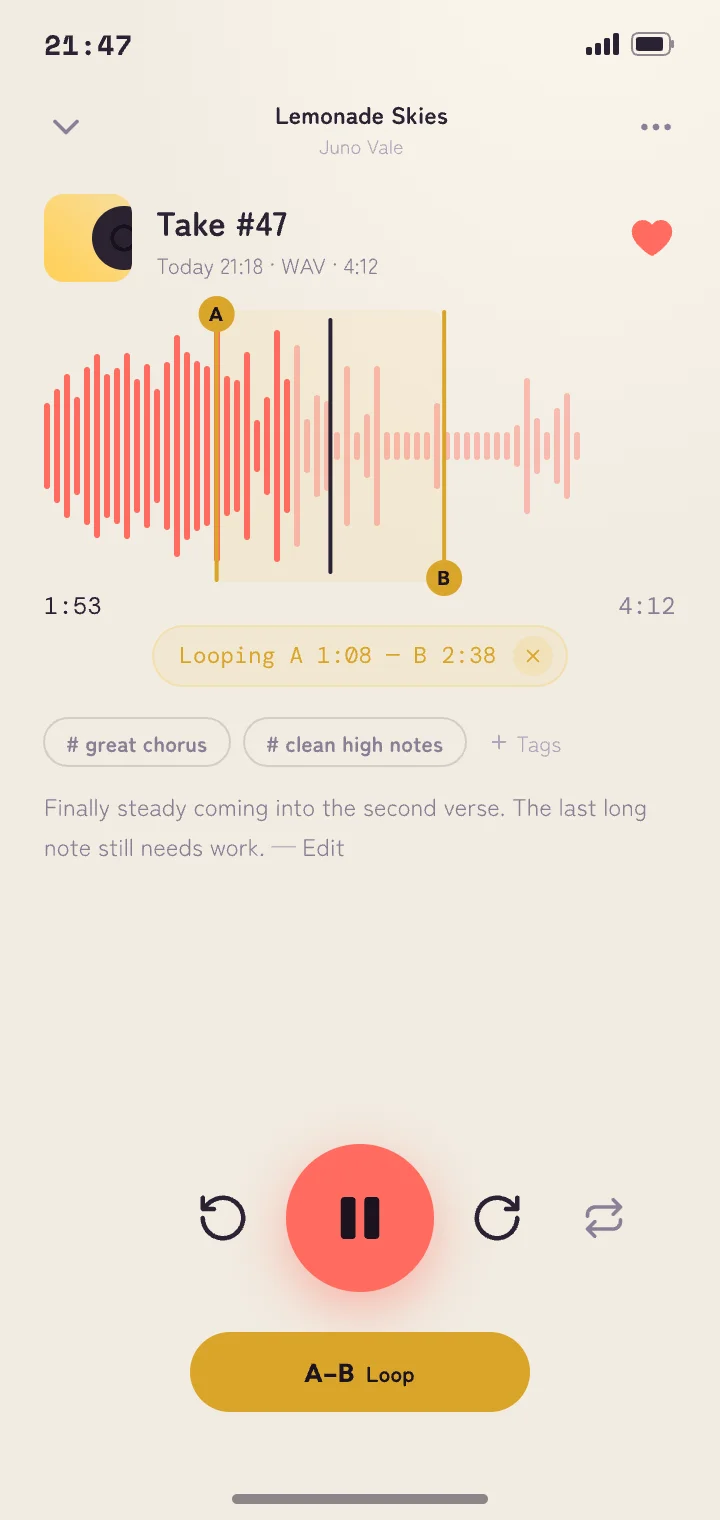
Place A and B on the waveform to loop just that part. Skip back or forward 5 seconds right from there, so you can stay on the line you're working on.
05
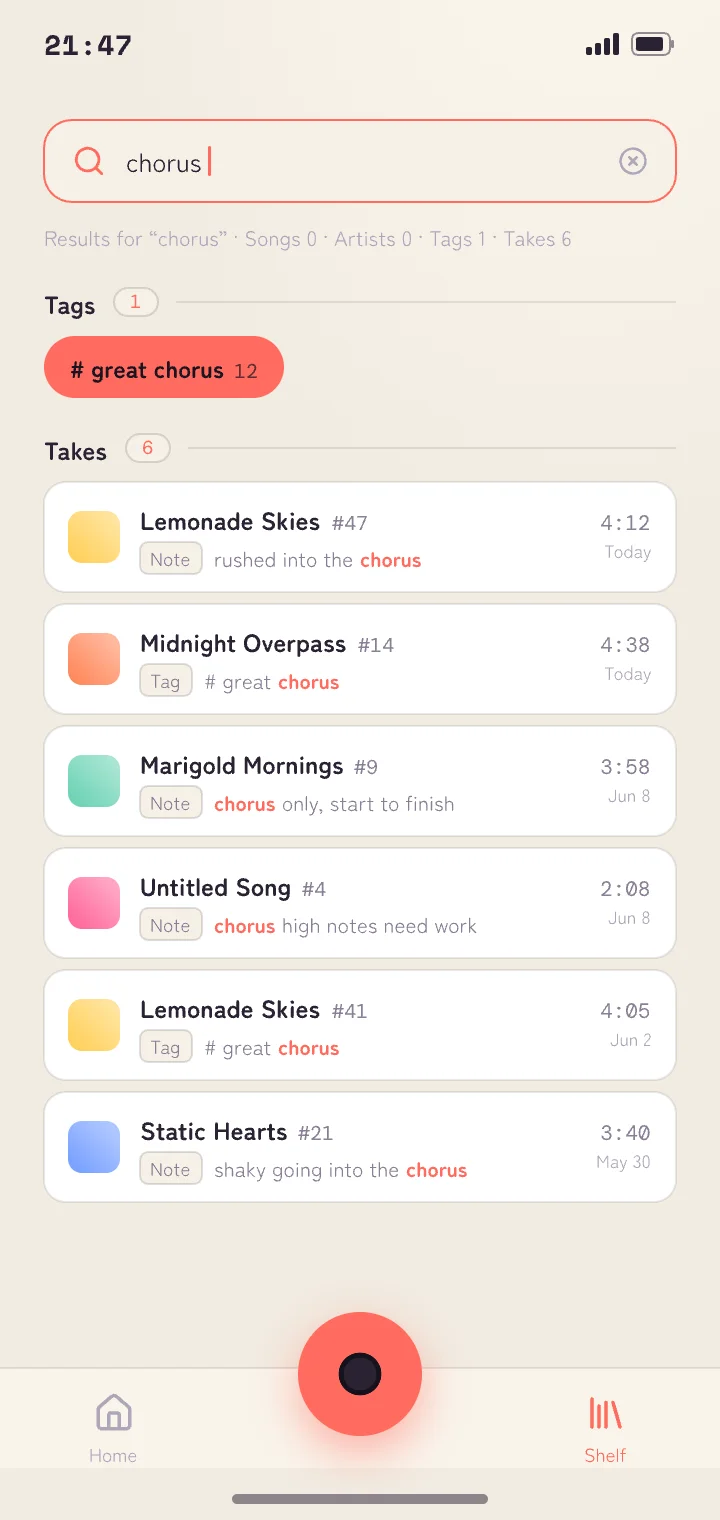
Search by what you wrote.
Add tags and notes to any take. Song titles, artists, tags, and notes are searched together — type “chorus” and the takes you noted that way show up.
And more
Open the original in Apple Music
Link a song to its original recording and jump straight to Apple Music from the sleeve.
Choose your recording quality
Switch between standard AAC and uncompressed WAV anytime in Settings.
Deleted takes go to Recently Deleted
Deleted one by mistake? You can restore it for 30 days, or delete it for good right away.
Three ways to see your shelf
View the same shelf by song, by artist, or by tag.
Import from Voice Memos
Bring in Voice Memos recordings from the Share button, and other audio from the Files app (.m4a and .wav).

Before your next karaoke night.
Open the app and tap the red button. Every time you sing, your shelf fills up.
Questions? Email support@utadana.com